


Hello,
I’m fairly new to this, so please pardon my ignorance. I’m trying to create an LCD scrolling menu to set speed and distance parameters for a stepper motor-powered linear stage. I’m using the following to do that:
- Stepper/stage: Yeebyee 100mm Effective Stroke Length Linear Rail Guide with Square Linear Rails Ballscrew SFU1605 with Nema 17 Stepper Motor for DIY CNC Router Parts X Y Z Linear Stage Actuator (Size:100mm): Amazon.com: Industrial & Scientific
- Driver: Pololu P/N 3140 Tic-36v4
- Controller: Arduino Uno R3
- LCD/Buttons: DFRobot P/N DFR0374 16x2 RGB LCD Keypad Board
- Driver power: Digikey P/N 4797-ZF120A-2404000-ND AC/DC ADAPTER 24V 96W
- Controller power: Digikey P/N 364-1267-ND Wall Adapter 9V 12W
All_Together_v3.ino (5.4 KB)
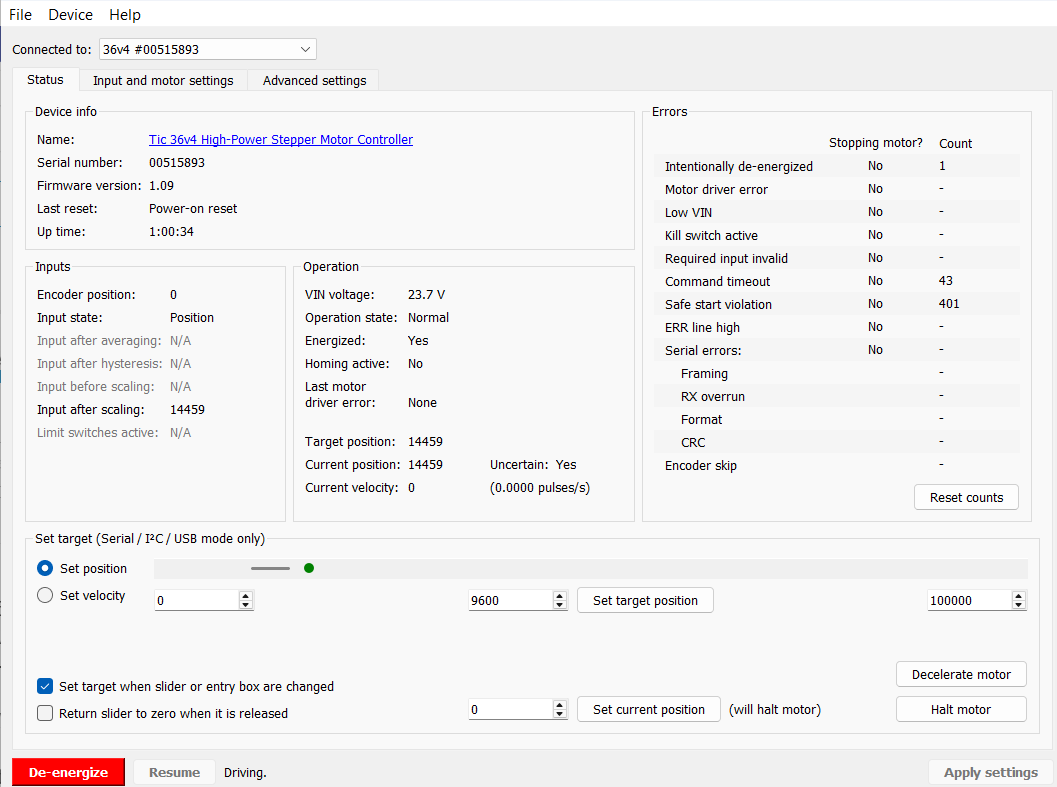
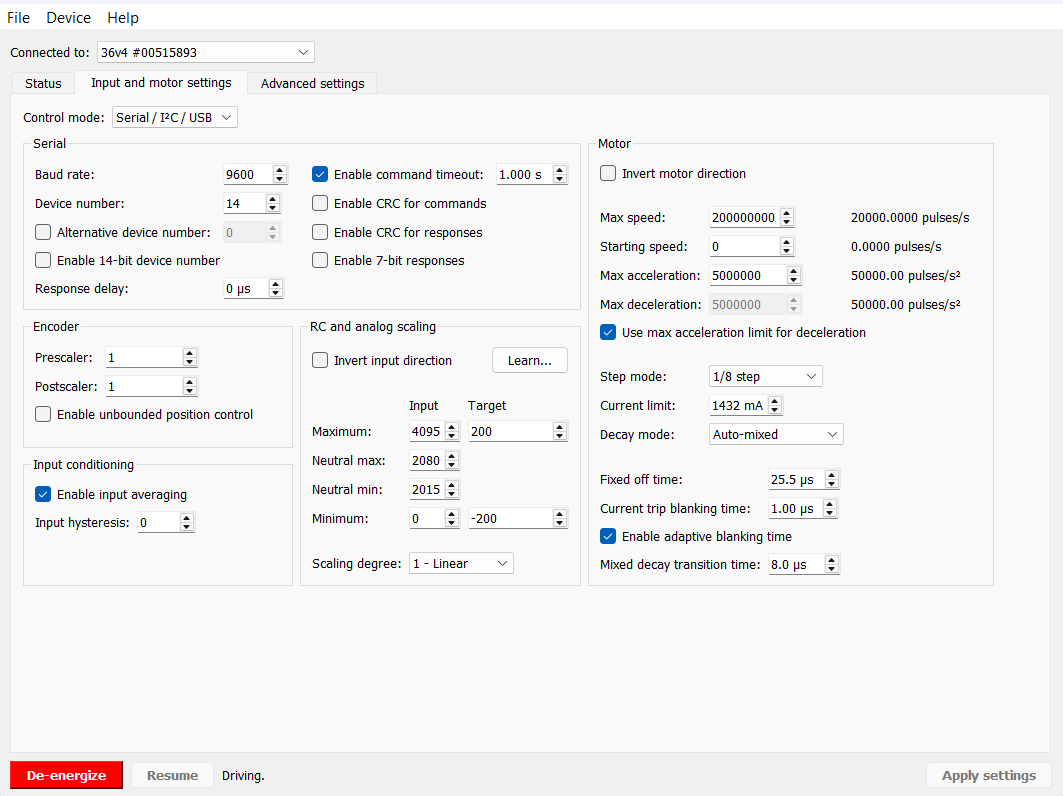
I used the TIC software to limit the current draw to 1.5A and set the step mode to 1/8 step. I’ve successfully gotten the menu to set speed and distance that I want and proceed to run the linear stage at those set parameters, but I have two issues:
- One, I would like to be able to interrupt the movement of the stepper during its action. Early trials to govern the movement using while() and if() statements based on button inputs haven’t solved the issue. I’ve only been able to abort the motion by de-energizing the controller in the Tic software.
- Two, I’d like to run the program and system completely removed from my computer after initial setup. Right now, as soon as I unplug the MicroUSB from my laptop to the Tic, the Tic stops responding to the Uno. After reestablishing connection to my laptop, the Tic works again. Is this a coding setup issue?
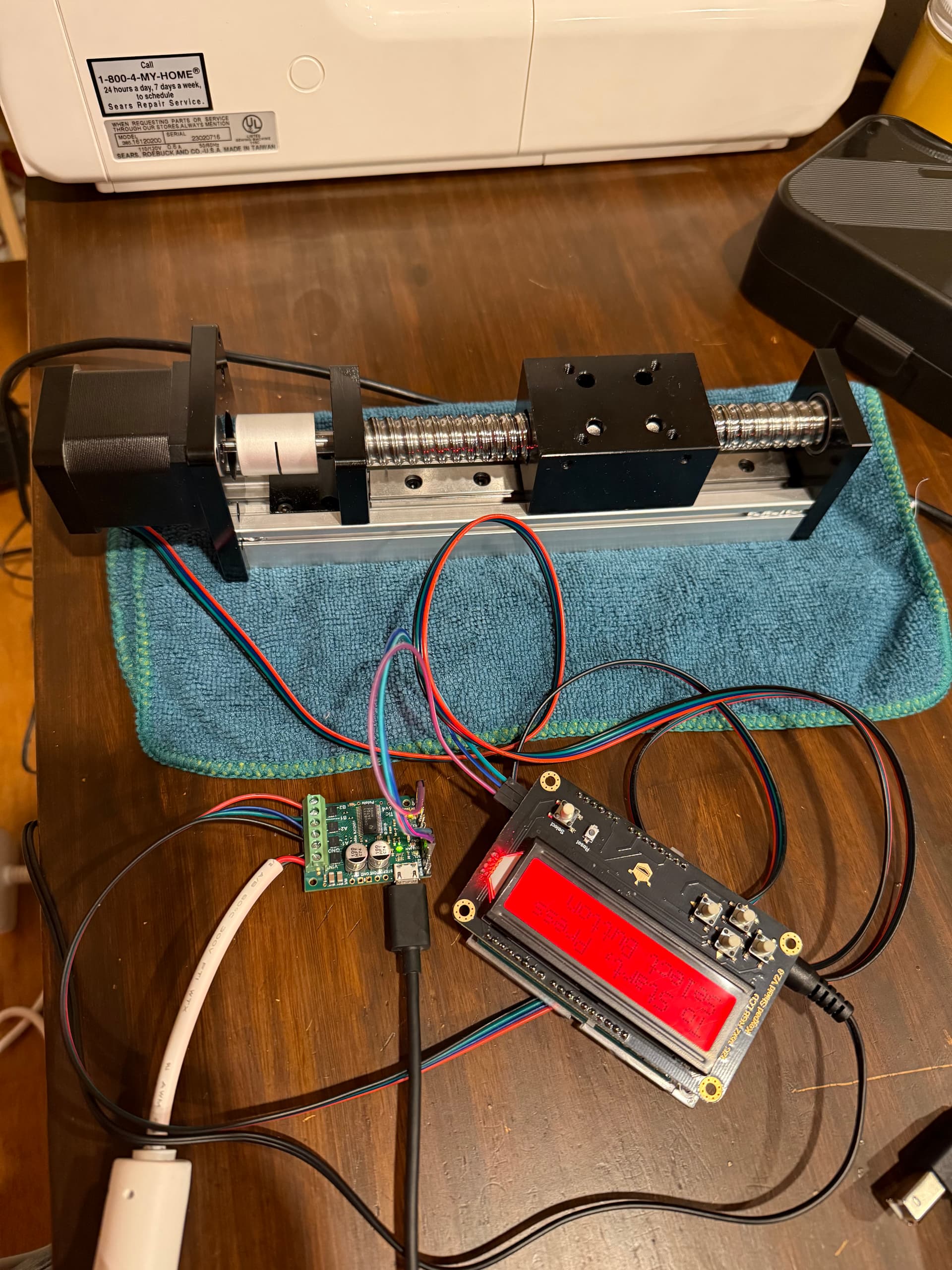
Connections are as follows:
- 12W Wall to Uno
- DFRobot shield on Uno
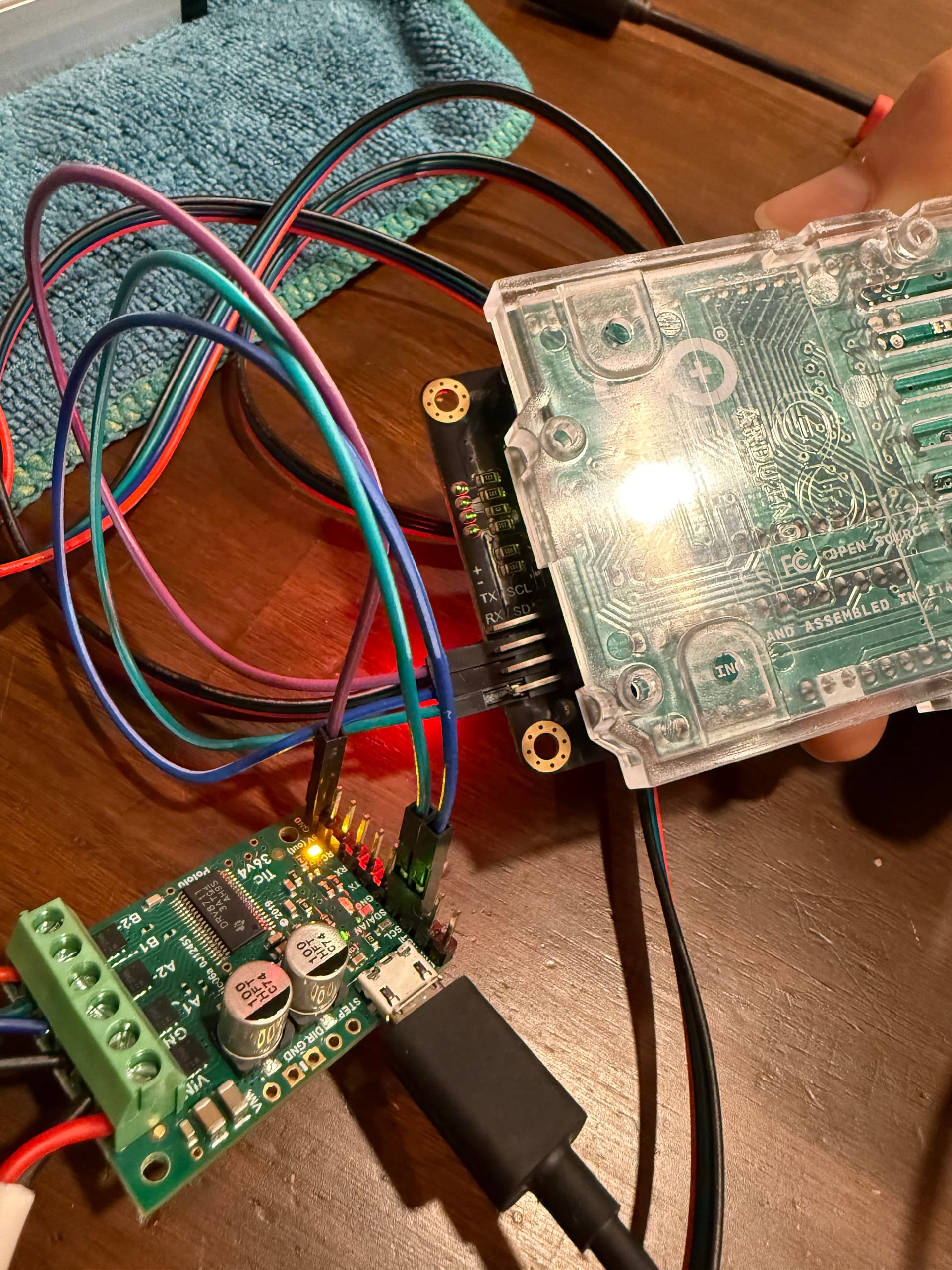
- Tic SCL to DFRobot SCL
- Tic SDA to DFRobot SDA
- Tic GND to DFRobot GND
- 96W +/- into Tic Vin/GND
- Stepper A+,A-,B+,B- into Tic A1,A2,B1,B2
The more pressing issue is the mandated laptop connection. Any advice would be greatly appreciated!
Thanks,
Ben