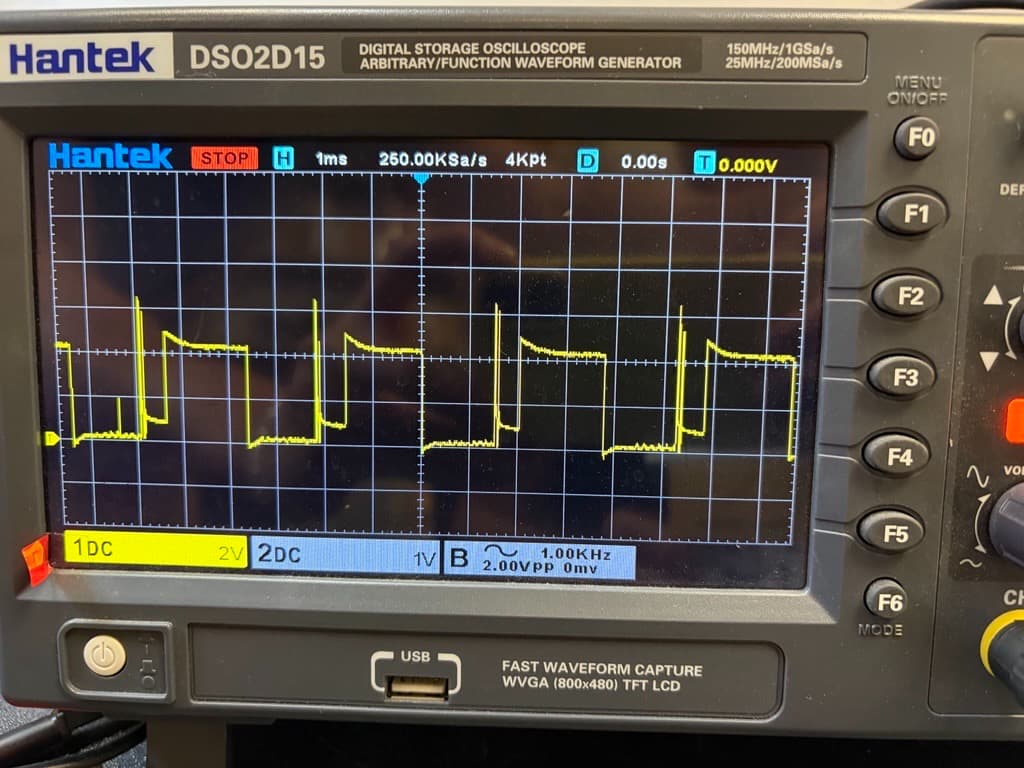
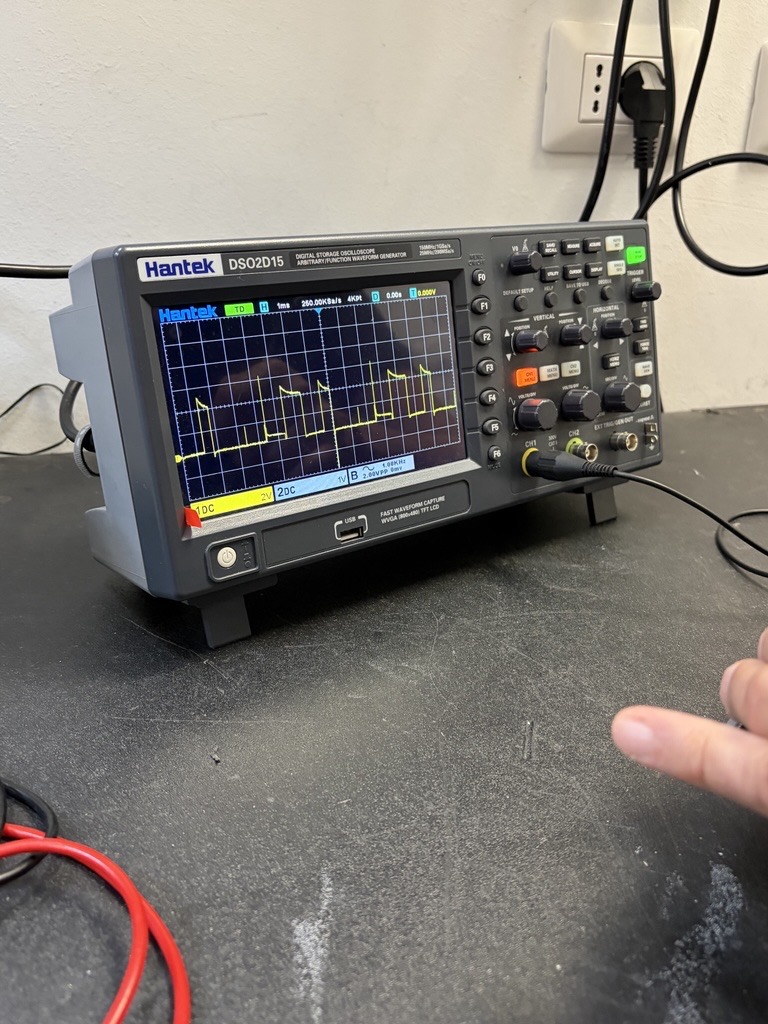
Test performed: Both motors were set to the maximum speed value (400).
Observed behavior: Four out of six robots exhibit abnormal behavior. Instead of moving straight, they consistently veer to one side (typically to the left). This appears to be caused by the left wheel rotating significantly slower—approximately half the speed of the right wheel.
Measurements and findings: Using the same motor speed setting (see attached code), the voltage/signal measured on the left and right motor connectors is not consistent.
- On one motor output, the signal is a stable 5 V level.
- On the other motor output, the signal appears abnormal and difficult to interpret, with an average voltage of approximately 1.8 V. It resembles a corrupted PWM signal (see attached oscilloscope screenshot/photo).
Given that the same speed value is being applied to both motors, we would expect comparable output signals on both motor connectors.
Could you please help us understand whether this behavior indicates a hardware fault or a known issue with the motor driver/controller?
MotorTest.ino (629 Bytes)
VIDEO: Sign in to your account
Thank you for your support.
Hello.
I moved your post to a more appropriate category to help keep the forum organized.
I am sorry to hear that you are having trouble with some of your Zumo 32U4 robots. While it is normal for there to be some unit-to-unit variation between the motor speeds, one motor always moving around half the speed of the other is well outside of the variation we would expect and would not have passed the test we perform on every unit. Can you tell me more about how you have used your Zumos (like if you have ever connected anything else to them) and whether they always behaved this way?
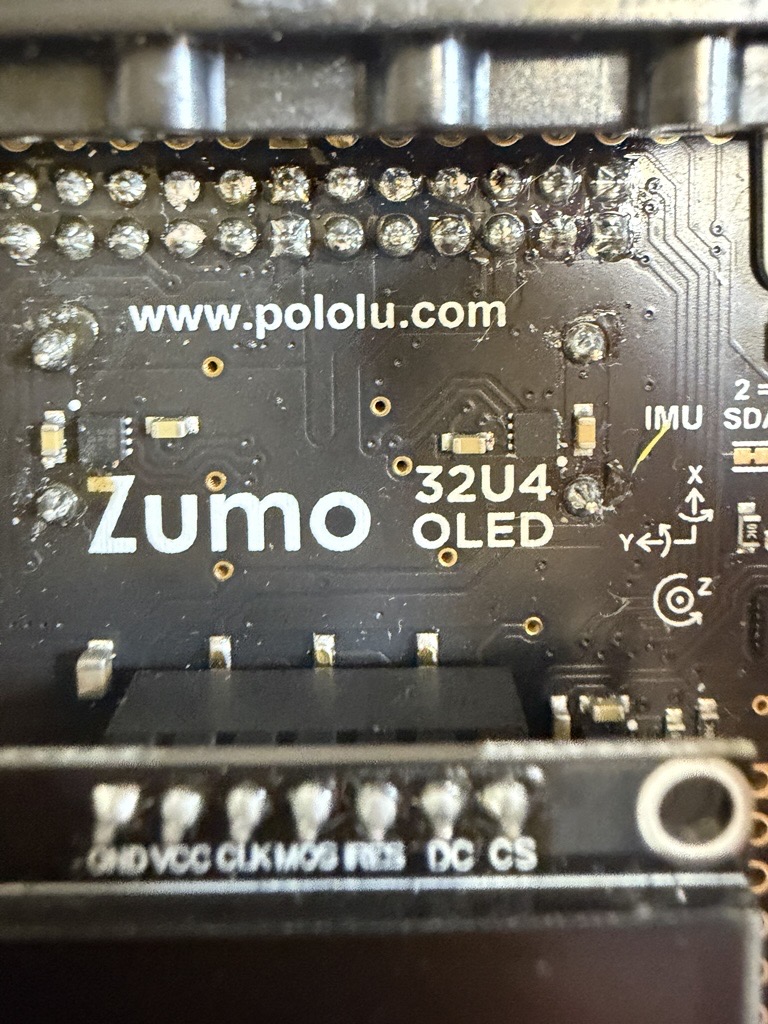
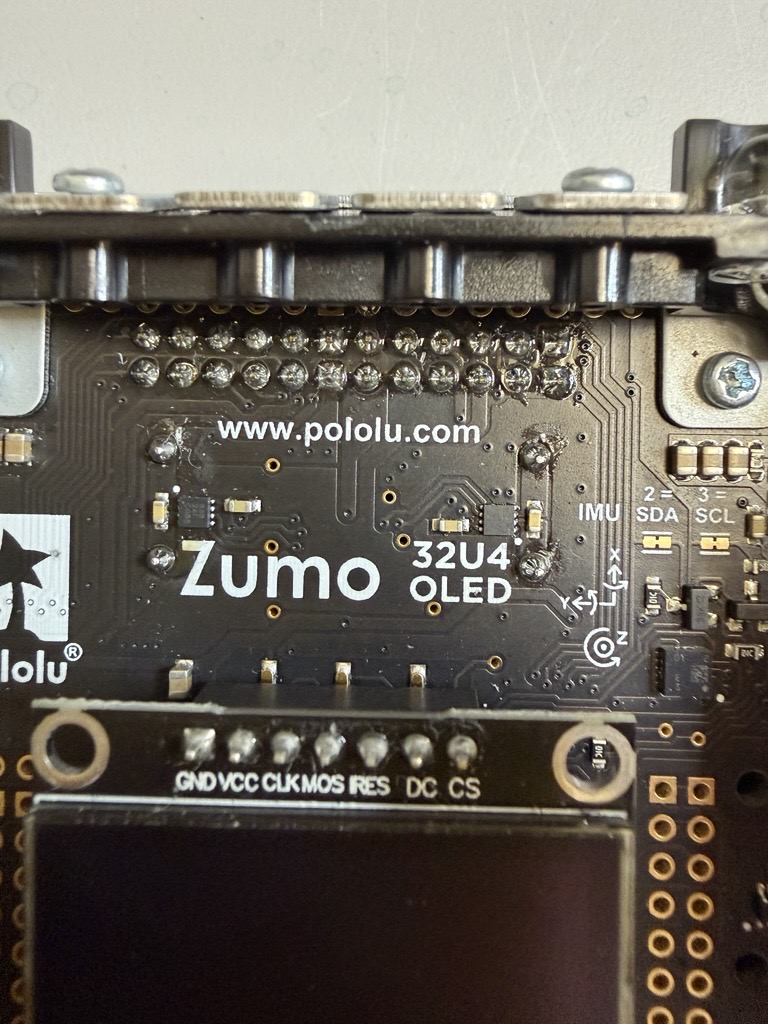
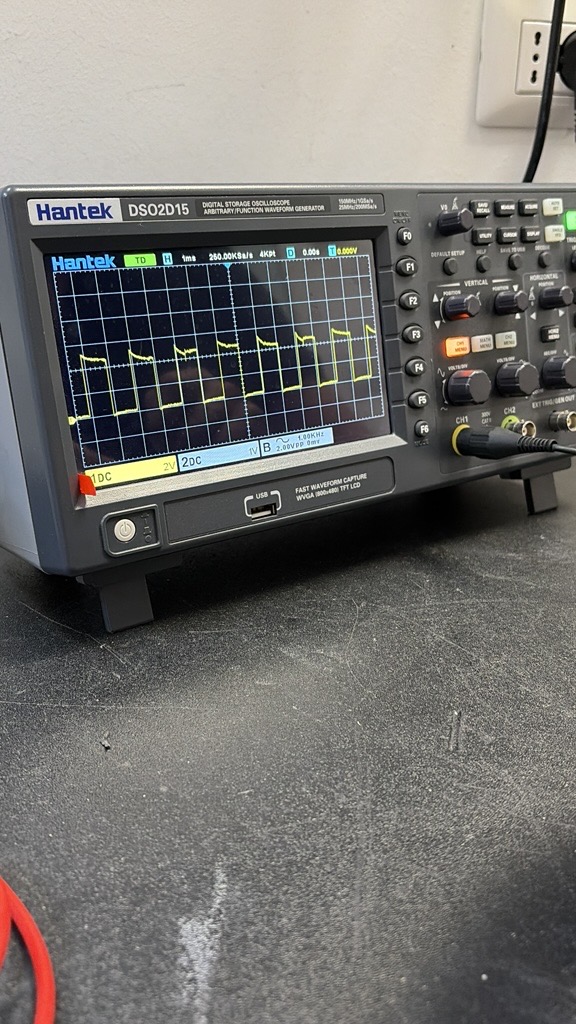
Can you also post some pictures showing exactly where you are probing for the scope capture you posted along with some close-ups that show all the soldered connections? To simplify things a little, let’s try a program where you just set the motor driver PWM pins high without using our library.
uint8_t rightPWM = 9;
uint8_t leftPWM = 10;

void setup() {
  pinMode(rightPWM, OUTPUT);
  pinMode(leftPWM, OUTPUT);
}

void loop() {
  analogWrite(rightPWM, 255);
  analogWrite(leftPWM, 255);
}
If that program still does not produce the expected scope output, could you try changing the duty cycle to see how that affects it? (For example, try using 127 in the analogWrite functions for 50% duty cycle.)
- Patrick
Hello,
Thank you for your reply.
-
The Zumo robots have been used exactly as they arrived, without any modifications or additional hardware connected to them. The problem appeared after a few days of use; they did not behave this way initially.
-
I have attached pictures of the solder joints and connections, as requested.
-
I tested the program that directly sets the PWM pins high, and there is no difference compared to the previous tests. The robot still shows the same malfunction.
-
I also tried changing the duty cycle to 50% (analogWrite value of 127). In this case, both wheels rotate at approximately half of their original speed, and the wheel that was already rotating more slowly is reduced proportionally as well. I have attached the oscilloscope measurements.
Based on these results, it appears that there is a hardware issue affecting the motor control circuitry, possibly the motor driver or a related component. Since the robots worked correctly when they were first received and the issue developed after only a few days of normal use, I would appreciate your assessment of whether this could be a defective unit and whether a warranty replacement should be considered.
Best regards,
Diego
Additionally, since I posted my original message on the forum, another Zumo robot has developed the same malfunction. This means that the issue is now affecting 5 out of the 6 units we purchased, and we are also concerned that the remaining unit may eventually develop the same problem. This makes us think that the issue may not be an isolated failure.
Thank you for the additional pictures. If they were working fine intitially and it’s happening gradually, I suspect it’s more likely a mechanical issue, like wear or debris accumulating in the drive train. Can you take apart the worst-performing units and see how the motors look and how they perform without a load? You could also swap motors and confirm the problem follows the motor.
- Patrick
Hello Patrick,
The robots have only seen normal use for a few hours in an educational environment and have never been modified.
At this point, I would prefer not to disassemble the robots or swap the motors between units. Since the robots are still under warranty, I am concerned that performing hardware interventions myself could cause damage or complicate the warranty process.
Considering that the issue affects five out of six robots now, after only a short period of normal use, I would kindly ask for your assistance under warranty and for instructions on the next steps, including the possibility of repair or replacement.
We do not have any explicit warranties so you do not need to worry about complicating the warranty process. “Educational environments” can vary quite a bit, as younger students bashing robots that aren’t theirs against each other can be quite different from a couple of grad students carefully running some research project they are very invested in.
We are not seeing notable reports of similar trouble, and given that you are seeing this across multiple units that worked initially, it could just be that how you are using them is harder than average on them. It would be good for you to get comfortable changing the motors since that will give you a better understanding of what is happening and give you much more use out of these robots. Especially with you being in Europe, it’s a lot more effective to send you a few motors than to be sending whole robots back and forth.
Can you go ahead and take a look at the motors?
- Patrick