
Mini Maestro 12: Official Pololu method for Arduino Uno to select between multiple stored sequences

Title:

Mini Maestro 12: Official Pololu method for Arduino Uno to select between multiple stored sequences

Hello Pololu Engineers,

I am working on a robot using a Mini Maestro 12 and an Arduino Uno.

The Arduino reads a FlySky receiver CH6 using a 3-position switch. The receiver is working correctly and the Arduino reads approximately:

Position 1 = 990 µs

Position 2 = 1487 µs

Position 3 = 1979 µs

The Arduino TX (Pin 1) is connected to the Maestro RX, with a common ground. The Maestro is configured for UART with a fixed baud rate of 9600.

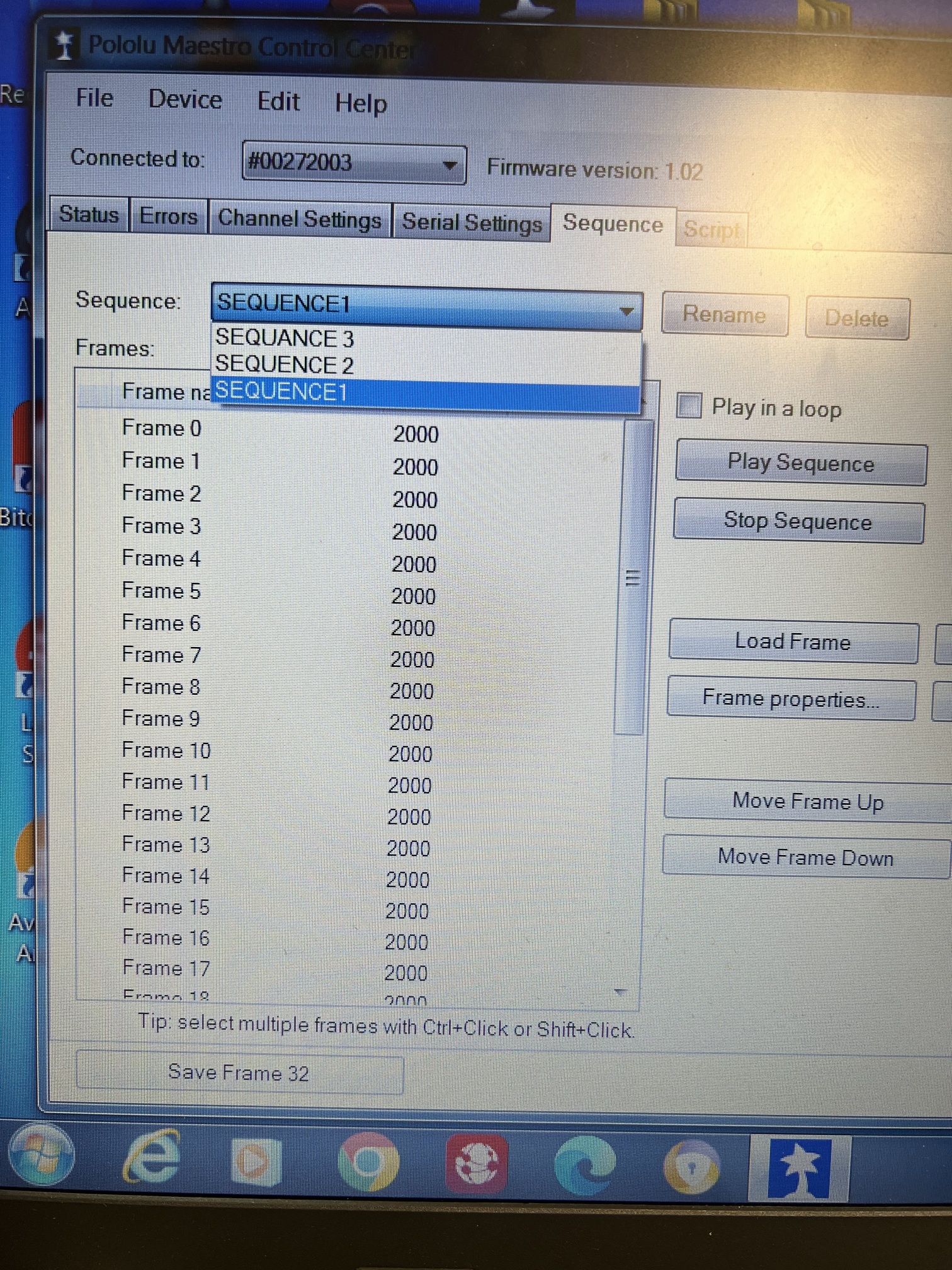
In Maestro Control Center I have Sequence 1, Sequence 2 and Sequence 3 stored in the same project, and each sequence plays correctly from the Sequence tab.

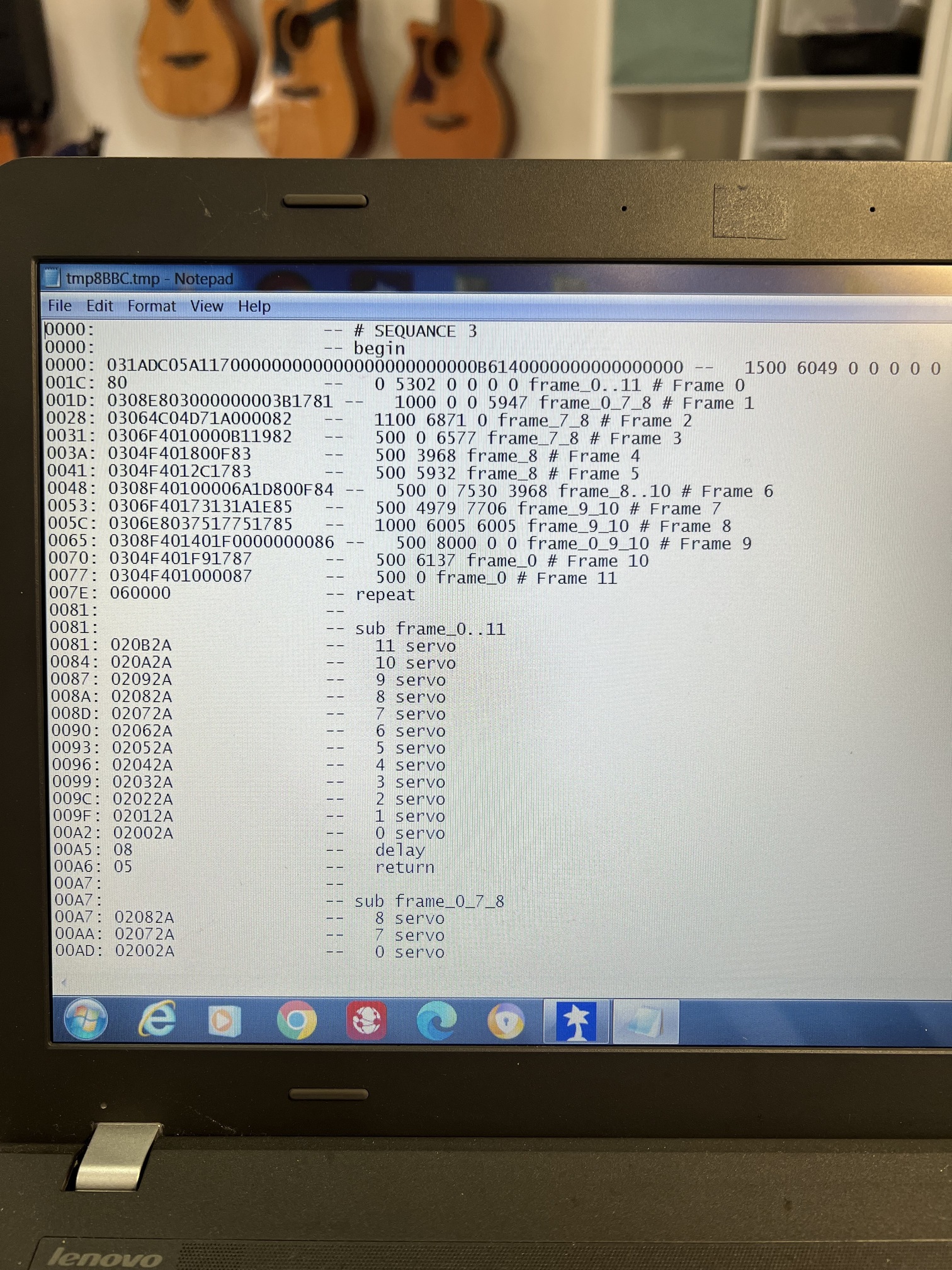
When I view the compiled code, it appears to contain only the currently selected sequence.

My goal is for the Arduino Uno to select and start Sequence 1, Sequence 2 or Sequence 3 depending on the CH6 switch position.

Before making any changes to my Maestro project, I would like to follow the official Pololu-recommended method.

Could you please advise the correct approach?

Should I:

  • Use “Copy All Sequences to Script”?
  • Create a master script that calls each sequence?
  • Trigger script subroutines from the Arduino?
  • Or is there another method you recommend?

I would prefer to follow the method that Pololu recommends rather than creating my own solution.

I have attached screenshots of my Sequence tab and the compiled code in case they are helpful.

If it would help further, I am happy to provide my Maestro settings file or any additional screenshots.

Thank you very much for your time.

Kind regards,

Charlie

Hello, Charlie.

I recommend you use the “Copy All Sequences to Script” option from the Sequence tab. In the script you should not need a main loop (or you can have an empty main loop), but replace the return commands at the end of your sequence subroutines with quit. Apply those settings.

From there, try out the Script.ino example program from our Maestro library for Arduino with minimal modification. Once that is working, you should be able to modify it as needed or apply the procedure to your larger program.

If you try that and run into problems, please post some pictures of your connections, a copy of your Arduino code, and a copy of your Maestro settings file. You can save a copy of your settings file from the “File” drop-down menu of the Maestro Control Center while the controller is connected.

- Patrick

Hello Patrick,

Thank you very much for your helpful reply and for taking the time to explain the recommended procedure.

I really appreciate your guidance. I will follow your suggested approach step by step:

  • Use Copy All Sequences to Script.
  • Replace the return commands at the end of the sequence subroutines with quit.
  • Apply the script.
  • Then start with the Script.ino example from the Maestro Arduino library before integrating it into my larger FlySky project.

I wanted to make sure I was following the official Pololu method, so your advice has been extremely helpful.

If I run into any problems, I’ll post my wiring, Arduino code, and Maestro settings file as you suggested.

Thank you again for your excellent support.

Kind regards,

Charlie

1 Like