Aloha
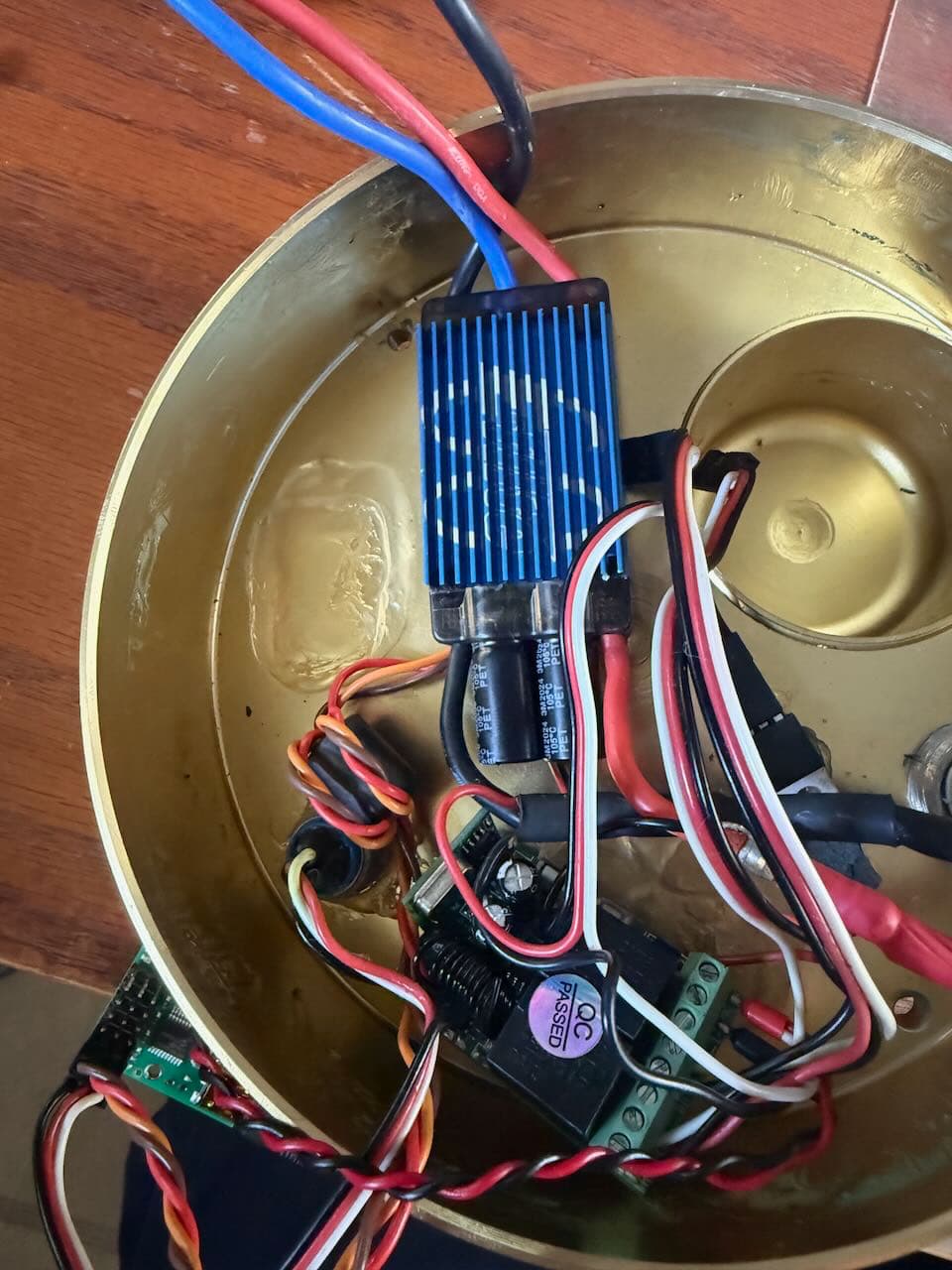
First port here and very new to robotics and or electronics of this sort. I love to fix things myself which brings me here. I have a fishing reel that uses an RC motor and ESC along with a maestro micro and a wireless receiver. It’s controlled either with a wireless remote key fob looking thing or with a potentiometer mounted on the housing. I have gone down the rabbit hole and figured out what components they used. I never use the FOB so Im not interested in the wireless control but the Micro Maestro they have used got wet and I no longer have any control of the reel. They do not repair these anymore. I have another reel and tried to recover the “script” or settings from the maestro but as soon as I plugged it in I found out it’s not possible to see how the controller was setup. I could really use someone’s help trying to figure out how to set up my new maestro to work with this reel. Hell I will even pay you. This is how the controller is currently set up.
Channels
0- Connected to ESC
1- Connected to potentiometer
2- Connected to wireless receiver
3- Connected to wireless receiver power
I tried connecting the new controller to the maestro software and changed channel 0 to input. I then connected the plug to channel 0 outlet. Then I changed channel 1 to output and plugged the esc plug into channel 1. When I tried controlling the reel the pot didn’t work. When I changed the channel 1 slider on the software the motor would turn but didn’t respond until the slider was 1/4 moved.
I think Im missing something.I know this is probably hard to understand but if anyone can help me it would greatly appreciated. If you need more info or pictures please LMK.
Since you are new to the Maestro and robotics in general, I recommend breaking this into parts and getting each part working separately before combining them. It is not entirely clear to me what is going on with the wireless receiver part of the system (in particular channel 3 being connected to its power), but if you aren’t really interested in using that I recommend leaving it out for now to further simplify things.
It sounds like Maestro channel 0 is the servo signal going to the ESC, and Maestro channel 1 is for the potentiometer input. So, channel 0 should be configured as “Servo” and channel 1 should be configured as “Input”. (You will also need to make sure there is a common ground connection to the ESC.)
You can find information about connecting a potentiometer in the “Attaching Servos and Peripherals” section of the Maestro user’s guide. If it is connected correctly, you should see the slider in the “Status” tab for channel 1 move back and forth as you rotate the pot. Please note that the Maestro does not automatically map that input to the servo output on channel 0. For that, you will need to write your own Maestro script. However, let’s focus on just getting the two parts working separately first.
If your connections to the ESC are correct, you should be able to control the motor by moving the slider (while the system is powered). Be careful if your system has physical restrictions that can overload the motor if you accidentally move it too far or too fast. Ideally, you could mechanically decouple the motor while testing. At this point you can use the slider to find the pulse width range you want to eventually map the potentiometer to and make note of them. For example, it sounds like in your application you might only want to move the motor in one direction, so you should find what value the motor is stationary at (likely somewhere around 1500μs) and what value causes it to reach the speed you want to set as the maximum (possibly closer to 2000μs). In any case, once you find the limits you want to use, you can set those values as the Min and Max for channel 0 in the “Channel Settings” tab.
If you get to this point without issue (with both the potentiometer reading as expected in the “Status” tab and slider 0 controlling the motor), let me know and I can offer some advice for writing a script to get them working together.
Thank you Brandon. I will try the suggested settings and see what happens. As you mentioned, I don’t wanna have the wireless feature so that makes it a little bit easier for me. I knew I was missing a step as far as writing a script to have them work together. I will definitely need some guidance when that time comes. I was getting some response by moving the slider and the motor operating and the potentiometer slider was responding to me turning the potentiometer. I will get back to you on this as soon as possible. Thank you very much for your time and help
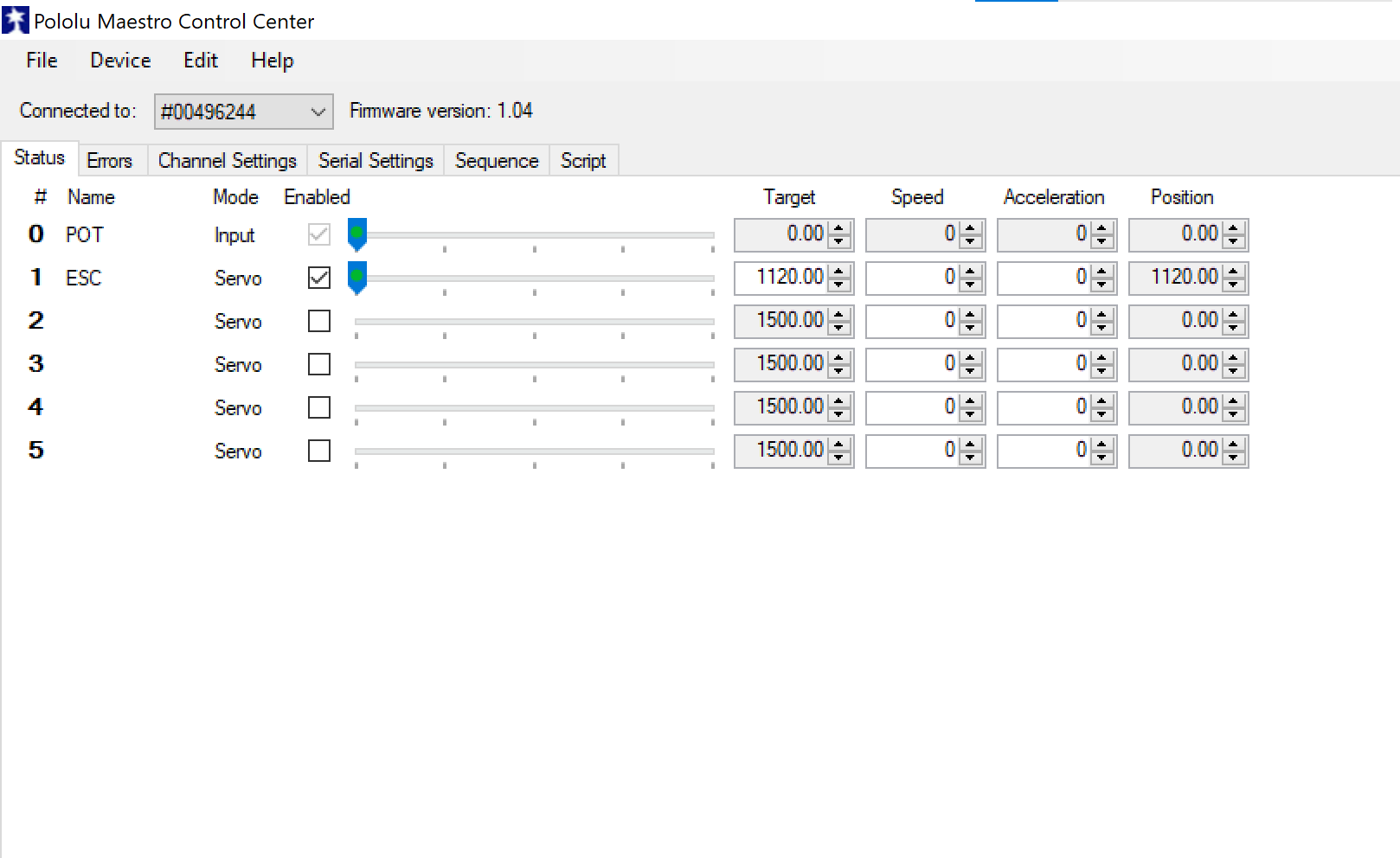
Ok so I have the Pot to channel 0 and ESC to channel 1.
I figured out that the motor doesn’t start turning until it reaches 1200 so I adjusted the channel to 1100-2000. I can make the motor ti=urn from stop to max rpm. The pot on channel 0 shows moment on the slider from 0-255.75. The motor does not respond when I turn the pot.
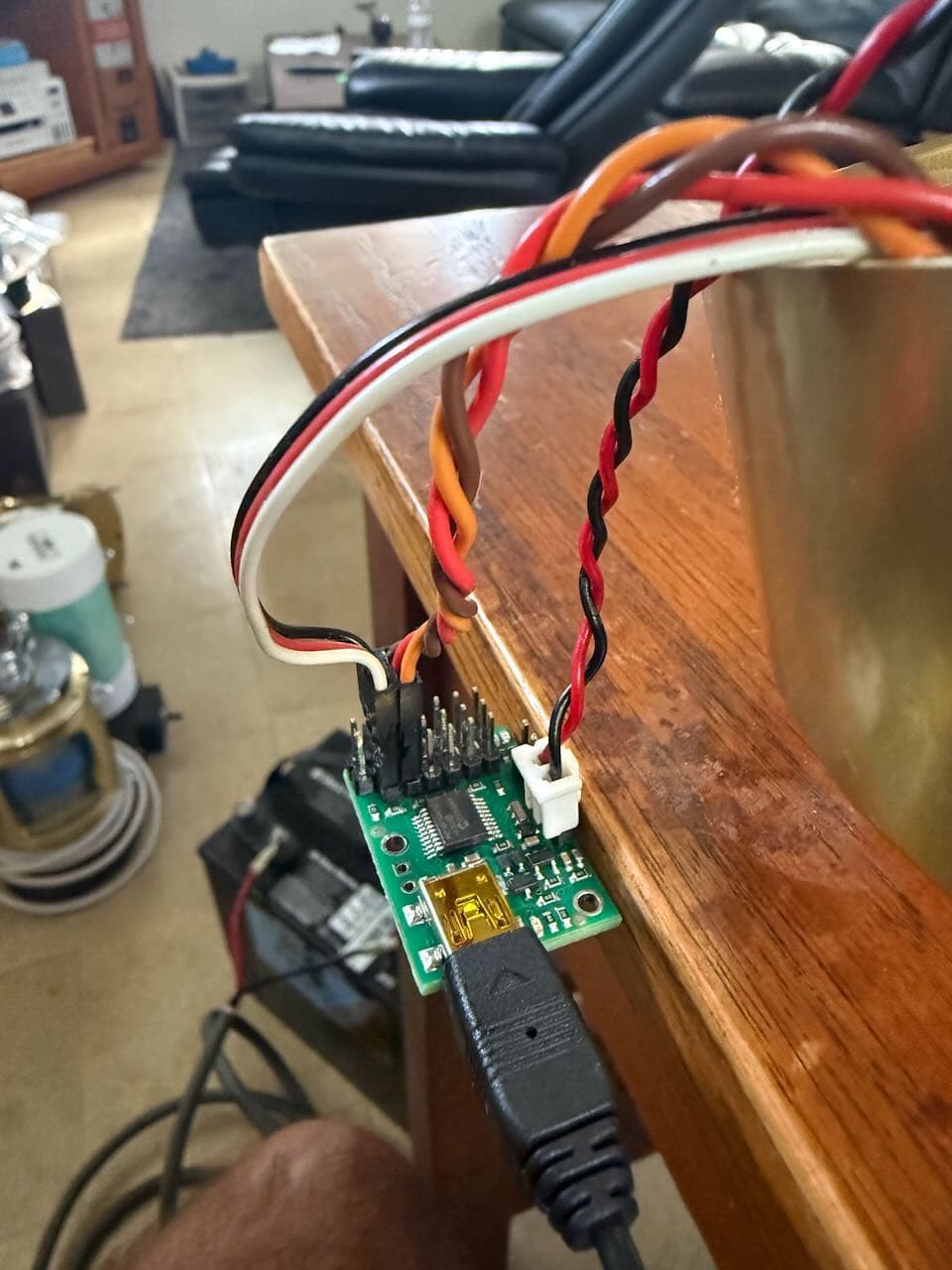
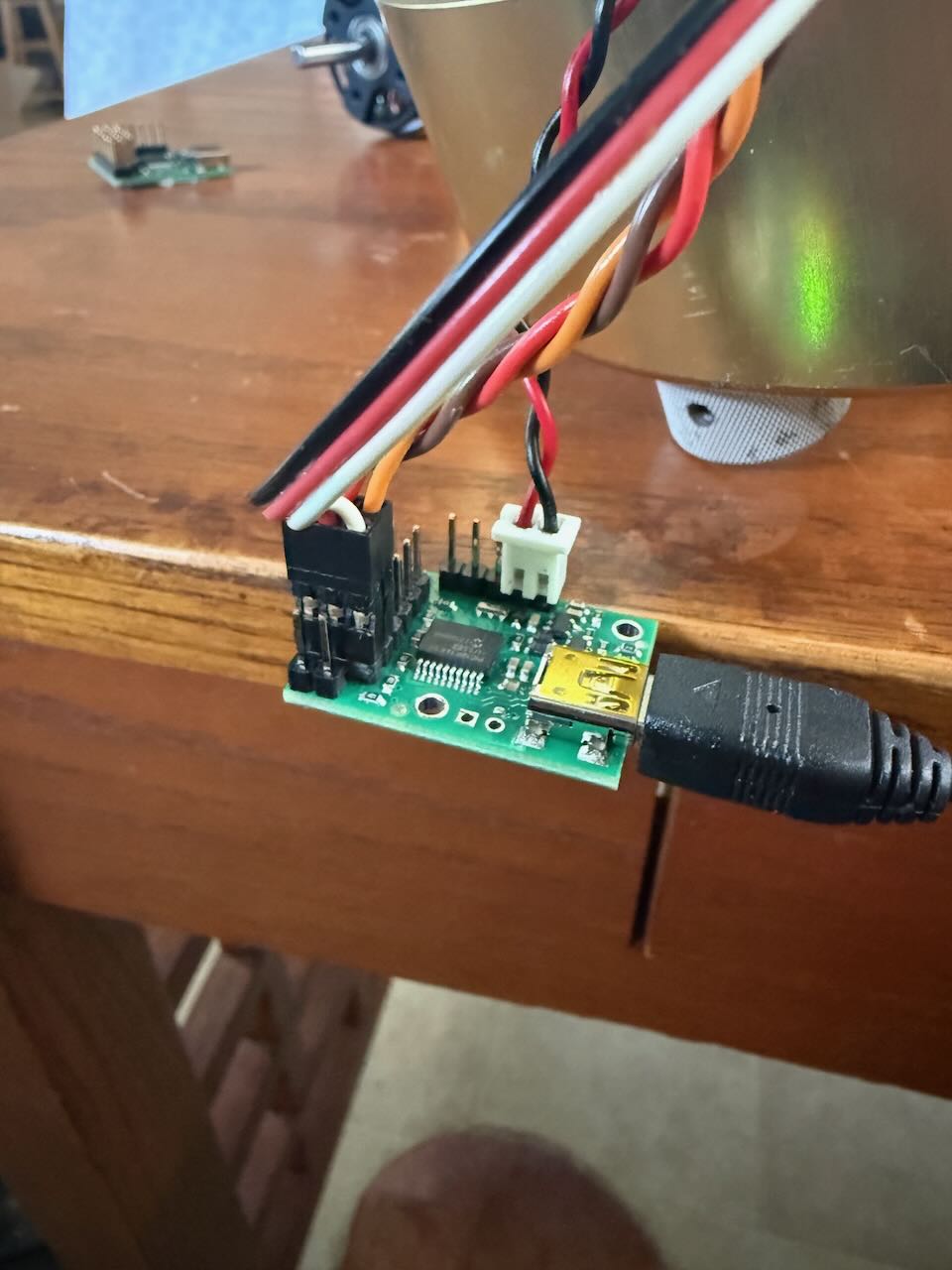
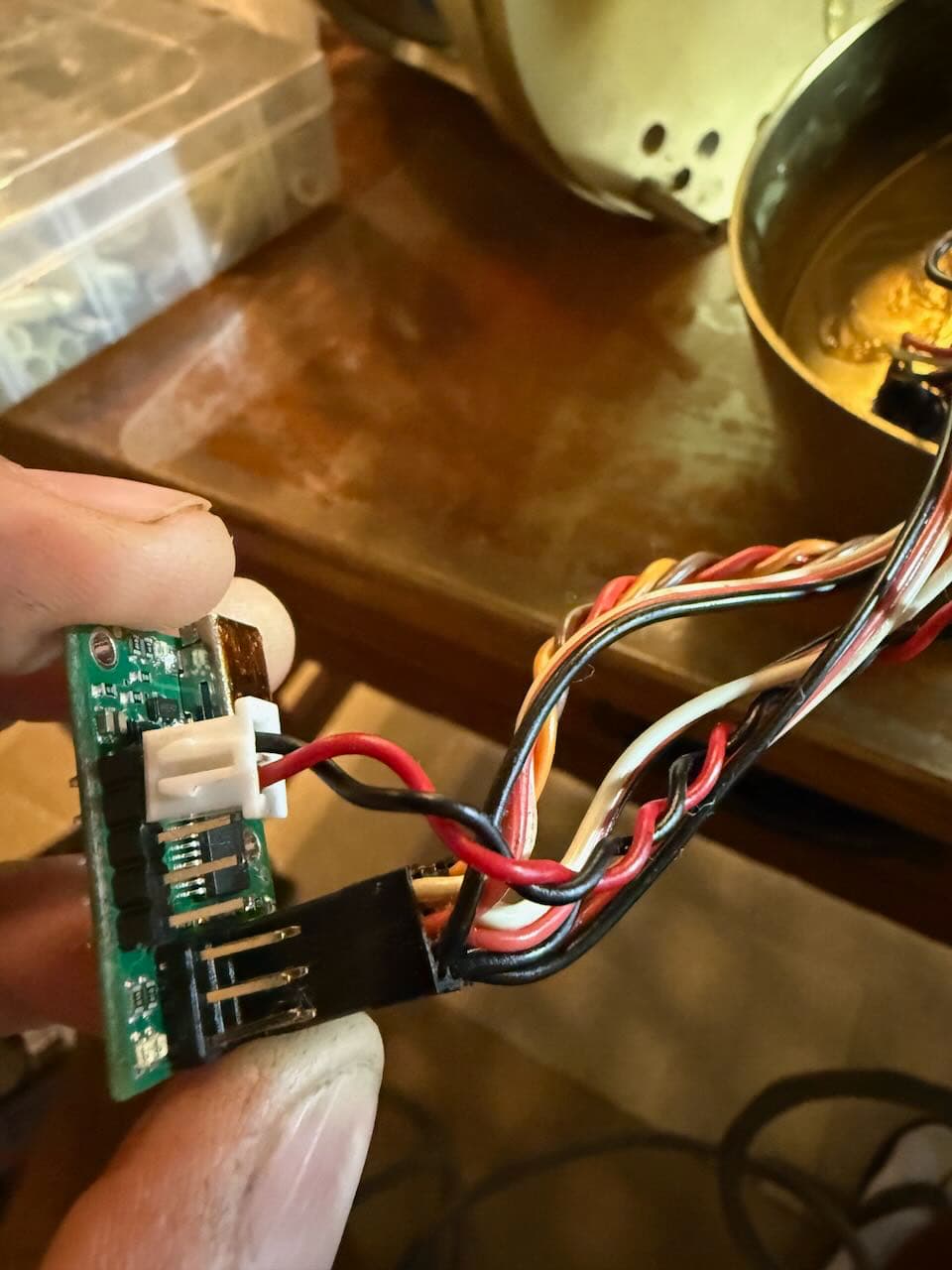
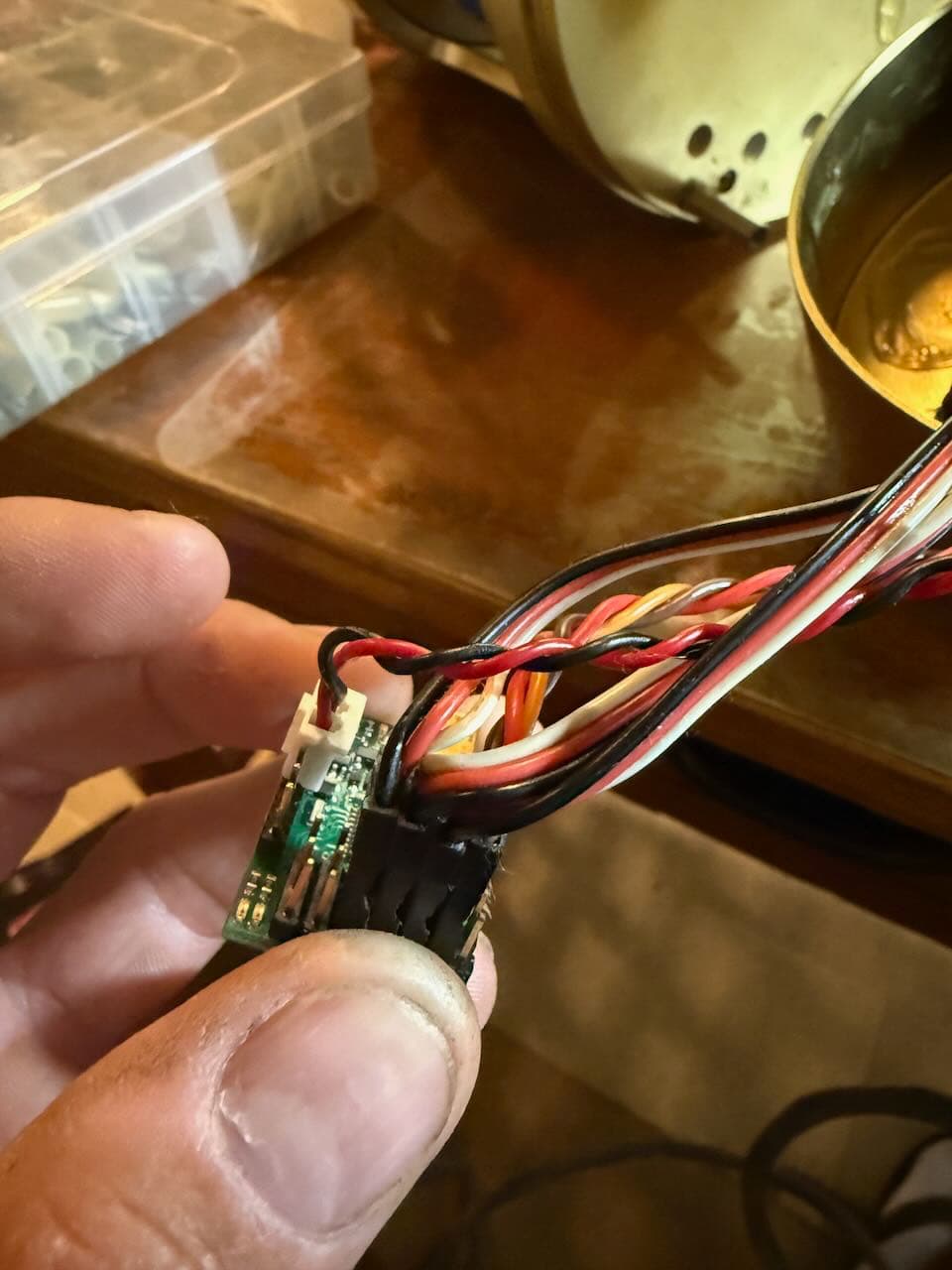
One thing I noticed is that the pot is not wired as per the diagrams in the manual it’s connected to all 3 pins using an RC style connector. That’s how it was wired from the manufacturer. I will attach some pics for your review. The first 3 are how I have it set up. the next two are how the OEM set it up with the receiver.
As for getting the pot to control the motor Im guessing it’s time for scripts?
Thanks again for the help.
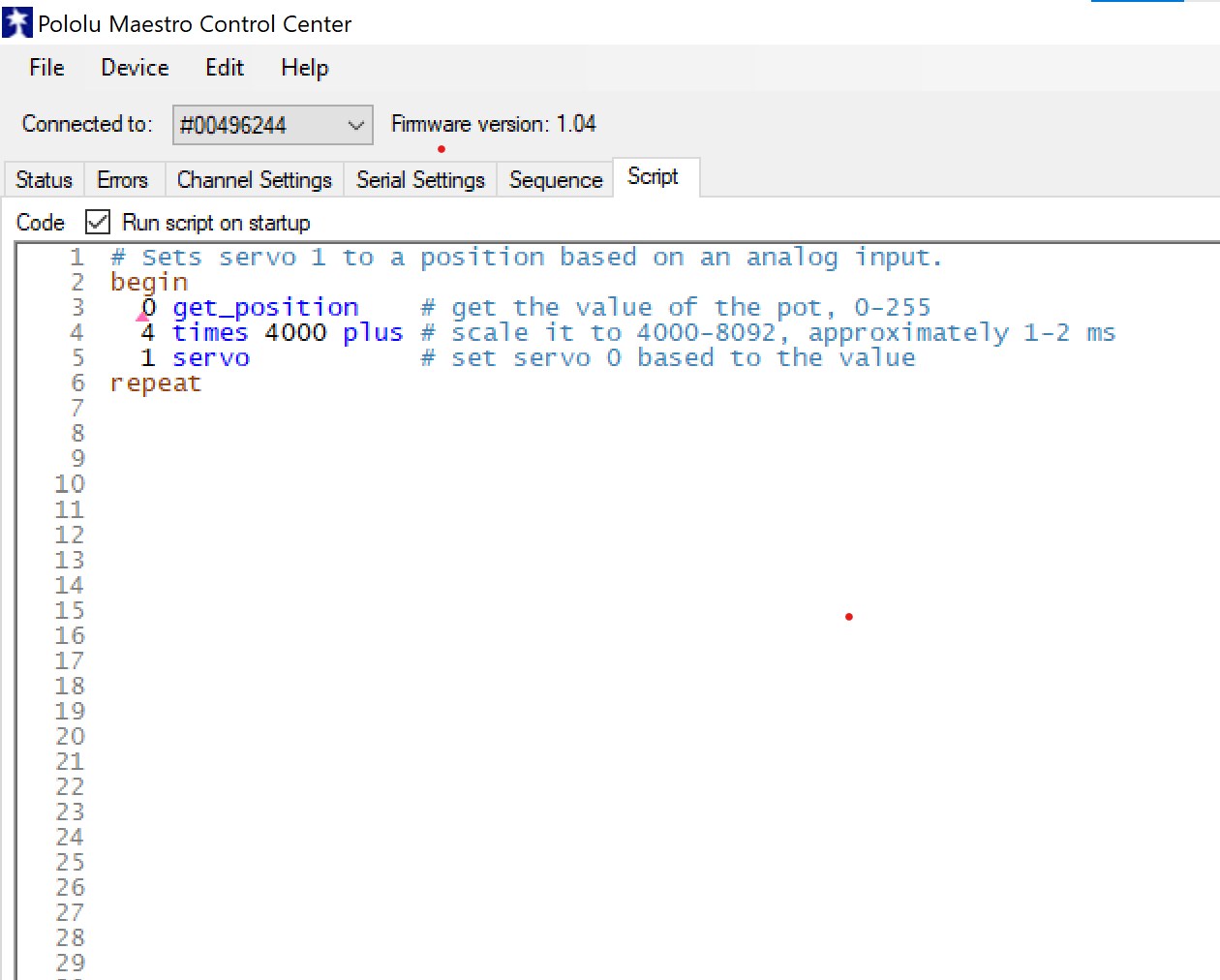
Thanks for the encouragement. I got the pot to work and control the esc and motor from a script I found online. I tested it with a known working system and it seems to act the same and have the same rpm range. However I tested the maestro like you suggested by moving the servo/esc slider and the pot values dont change. in fact the pot values seem to be stuttering between 0-.75. The connections are all the same as the OEM made them and it worked and currently works. Everything is plugged into the maestro with 3 pin plugs and a 2 pin 12 vdc plug. Am i missing something? Here is the script I used. Is there a better one? I just copied and pasted and messed around and got it to work. Its like sorcery if you ask me. LOL
# Sets servo 1 to a position based on an analog input.
begin
0 get_position # get the value of the pot, 0-255
4 times 4000 plus # scale it to 4000-8092, approximately 1-2 ms
1 servo # set servo 0 based to the value
repeat
To clarify, if you stop the script from running, can you move the motor by using the channel 1 slider and does channel 0 still show a signal between 0 and 255.75 when you rotate the potentiometer like you described in your previous post?
As far as the connections, it should be fine to power the potentiometer from the servo power rail (i.e. the center row of pins on the servo connector) as long as you are supplying it with 5V max. The servo power rail is not connected to anything else on the Maestro by default, so if your potentiometer is responding correctly and moving the slider as expected, then I suspect your ESC has some sort of built-in BEC that is supplying 5V through its servo connector. If your potentiometer is not responding anymore, could you measure the voltage between the servo power rail and ground with the system powered up?
The script you found is close to what you want, but you will need to adjust the scaling values to use the full range of the potentiometer. For example, to scale the potentiometer input (0-1023) to something closer to 1100μs and 2000μs you could use something like this:
begin
  0 get_position    	# get the value of the pot, 0-1023

  #Scale to between 4420 and 8000, which is 1105µs to 2000µs
  dup 3 times swap 1 shift_right  plus #same as multiplying by 3.5
  4420 plus 	#add the offset

  1 servo          		 # set servo 1 to the new value
repeat
Thanks Brandon
So I can confirm that if I stop the script and move channel 1 slider/ESC the pot slider or values do not change but the motor runs. If i run the script it works as its supposed to. I used your script and it does seem to sound and work better.
The ESC wires do have 6VDC on the red wire but there is also a separate 12VDC wires that are connected to the maestro on the other rail. Its connected to the battery input wires with a LM7812 voltage regulator. Thats how the OEM powered the Maestro. Without the 12VDC wires connected the controller doesnt work.
I think everything is working as it should. That being said should I see the Pot slider move or change values when moving the ESC slider without the script running?
It sounds like everything is working as expected; moving the ESC slider should not change the potentiometer slider, and when the script is not running, moving the potentiometer should not affect the ESC slider. Then, once the script is running, the ESC slider should respond to moving the potentiometer.
Could you clarify what wire from the ESC has 12V on it? If it is the red wire that is part of the red and black twisted pair connected to VIN and GND, then that is fine since it is just being used to power the Maestro (which has an operating voltage of 5V to 16V).
The Maestro signal pins use 5V logic and applying more than that could damage the board. So, if the red wire that is being used to power the servo power rail (and therefore the potentiometer) is at 6V, it’s possible that rotating the potentiometer too far could apply 6V to the signal pin and damage it. In that case, it would be better to power the potentiometer from the 5V pin on the Maestro as shown in the user’s guide. One way to do this could be by removing the red wire coming from your ESC (and only connecting the black and white wires), then adding a jumper between the “5V (out)” pin and the servo power rail.
You are correct the red and black wires are the 12v in from the voltage regulator. The ESC is putting out 5v when I tested it. I’m glad you mentioned the 5v max to the board because my new ESC puts out 6v on the BEC connector. It’s a different brand of ESC than what came with the system. I’m going to continue to power the controller with the lm7812 voltage regulator and use the jumper to 5v to be safe. I am going to run everything tonight or tomorrow and I will report back after it’s been run for a while. Thank you so much for all of your help advice and input. I need to look into writing script, but I don’t even know where to begin.
Hey Brandon I was thinking. Right now the bec connector is putting out 6v on the red wire. You said that it may be too much for the maestro when the pot is turned all the way up correct. If I jump a wire from the 5v supply on the board will there be enough current available for the board and the ESC/pot to operate? I read that the 5v supply is limited by 50ma and the board uses 30ma leaving only 20ma. Just curious and probably over thinking it.
If you connect the Maestro’s “5V (out)” pin to the servo power rail, you should also remove the red wire that connects back to your ESC (otherwise you will be shorting the 5V and 6V lines together). So, only the brown ground wire and orange signal wire would connect between the Maestro and ESC. Once you do that, the only thing the 5V will be powering is the potentiometer, and the current draw from that should only be a few milliamps at most.