### Author:  [@rodeduck](https://forum.pololu.com/u/rodeduck)
#### Post date: [April 10, 2025, 5:28am UTC](https://forum.pololu.com/t/tb6612fng-attached-motors-not-working/27706/1 "2025-04-10T05:28:33Z")
I used a multimeter and checked all of the pins and they all seem to be outputting the right voltage.
My laptop gives me a notification that “The Last USB Device Not Recognized” and and that it may have been corrupted after running the following code to try and get the motor to run at all (I’m new to c++):
```c++
#include
#include "hardware/pwm.h"
#include "pico/stdlib.h"
constexpr uint AIN1 { 1 };
constexpr uint AIN2 { 0 };
constexpr uint BIN1 { 13 }; // unused
constexpr uint BIN2 { 12 }; // unused
constexpr uint PWMA { 2 };
constexpr uint PWMB { 10 }; // unused
const uint slicePWM { pwm_gpio_to_slice_num(PWMA) }; // unused
const uint channelPWMA { pwm_gpio_to_channel(PWMA) }; // unused
const uint channelPWMB { pwm_gpio_to_channel(PWMB) }; // unused
int main() {
stdio_init_all();
gpio_init(AIN1);
gpio_set_dir(AIN1, GPIO_OUT);
gpio_init(AIN2);
gpio_set_dir(AIN2, GPIO_OUT);
gpio_init(PWMA);
gpio_set_dir(PWMA, GPIO_OUT);
gpio_put(AIN1, true);
gpio_put(AIN2, false);
gpio_put(PWMA, true);
}
```
I don’t think it’s anything wrong with the pico 2 since I can run other code fine (making the light on the pico blink) without this notification popping up. But what do I know?
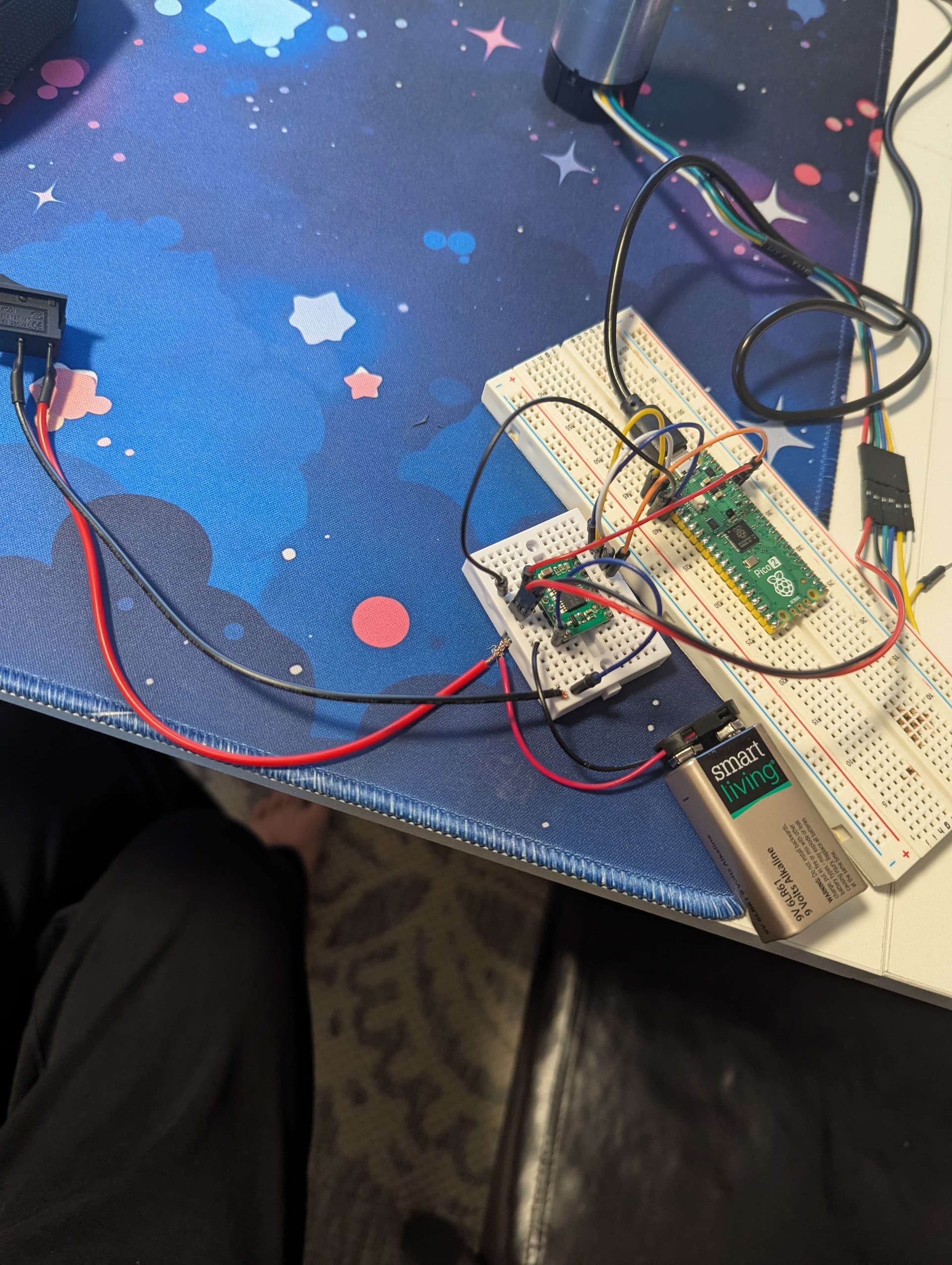
Here are the images of the circuitry. The pico 2 is connected to the laptop. Happy to provide more image if needed! (9V motor power supply battery removed)
The disconnected pins from the motor are not necessary for the motor to run, it’s the encoder.
I got the pwm and motor working on a L298N earlier - motor is perfectly fine.

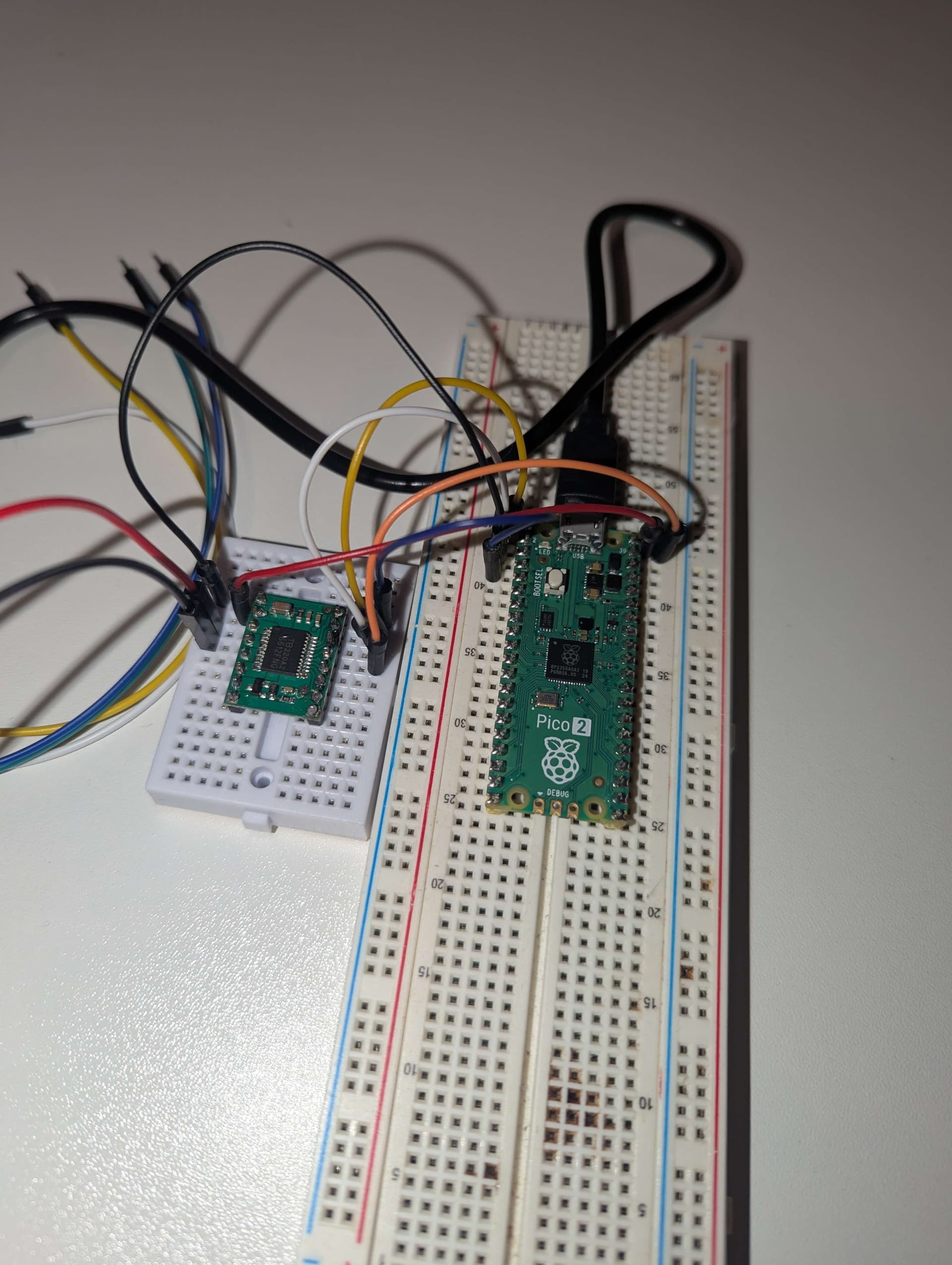


Any help appreciated, thanks!
---
### Author:  [@PatrickM](https://forum.pololu.com/u/PatrickM)
#### Post date: [April 10, 2025, 8:54pm UTC](https://forum.pololu.com/t/tb6612fng-attached-motors-not-working/27706/2 "2025-04-10T20:54:15Z")
Hello.
It looks like you are using one of our [37D gearmotors](https://www.pololu.com/category/116/37d-metal-gearmotors). A 9V battery is not an appropriate for powering motors like these and both of the drivers you mentioned are severely underpowered as well. So, if you want to confirm that your [TB6612FNG motor driver](https://www.pololu.com/product/713) is working, my recommendation for now is that you disconnect the motor and just monitor the output pins with your multimeter.
Another immediate issue is that you appear to be powering the logic side of the TB6612FNG (VCC) with your Pico’s VBUS pin, which should be 5V. The TB6612FNG datasheet indicates its logic high threshold is around 0.7×VCC, so 3.5V in your case. That means the TB6612FNG is not guaranteed to see the 3.3V logic from the Pico’s GPIO pins as high. To correct that, I suggest connecting both the VCC and the nSTBY pins on your driver to your Pico’s 3V3 (OUT) pin.
If you do that and do not see any signs of life from the driver outputs, can you post some updated pictures of the wiring and some close up of your board separate from the wiring so it is easier to check the soldering?
- Patrick
---
### Author:  [@rodeduck](https://forum.pololu.com/u/rodeduck)
#### Post date: [April 10, 2025, 11:31pm UTC](https://forum.pololu.com/t/tb6612fng-attached-motors-not-working/27706/3 "2025-04-10T23:31:05Z")
Thanks for the reply,
I tried running it using the 3.3V for the specified pins on the pico and it still didnt work
I am not using one of polulu’s 37D gear motors- I am using this one which has a low minimum voltage:
> **[12V Metal DC Geared Motor with Encoder (43.8:1, 251RPM, 18Kg.cm)](https://www.dfrobot.com/product-634.html)**
>
> Metal DC Geared Motor w/Encoder - 12V 251RPM 18Kg.cm - DFRobot
and as stated before, we got the motor to spin perfectly fine despite the crazier voltage drop in the L298N with a 9V battery so that shouldnt be the problem.
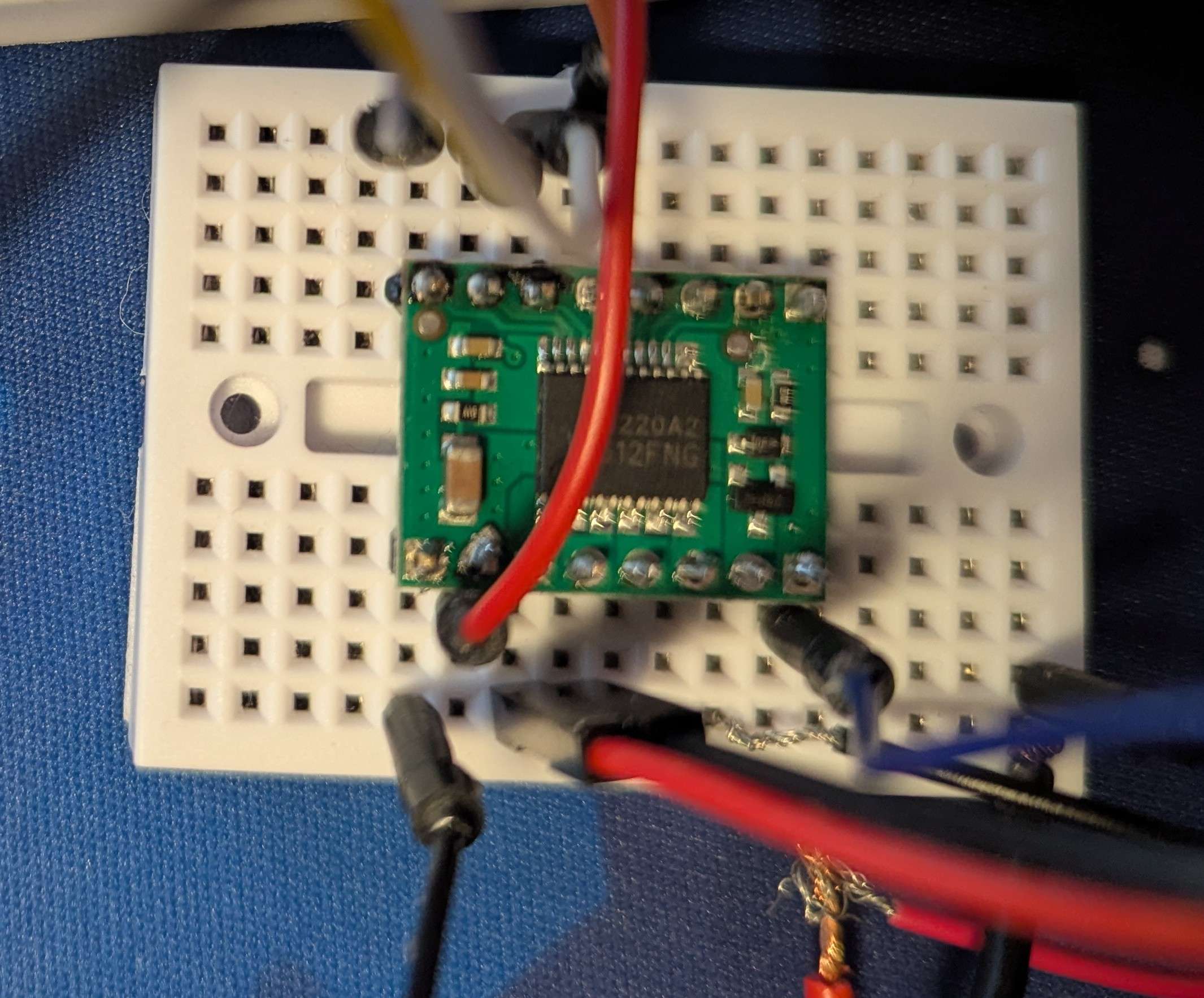
Here’s images of the soldering (i suck)
board burnt a bit on the edges, I’m 99% certain none of the solder is touching each other



---
### Author:  [@PatrickM](https://forum.pololu.com/u/PatrickM)
#### Post date: [April 11, 2025, 8:35pm UTC](https://forum.pololu.com/t/tb6612fng-attached-motors-not-working/27706/4 "2025-04-11T20:35:32Z")
The soldering is definitely not okay. Most of the joints are cold and not fully wetted to the pads, so I would not expect the board to work reliably that way. Fortunately though, a little bit of soldering practice goes a long way, and the [Adafruit Guide To Excellent Soldering](https://learn.adafruit.com/adafruit-guide-excellent-soldering) is a great resource for general soldering advice and learning how to correct common soldering problems.
The motor you linked to appears to have similar power requirements to the ones I brought up in my post, so your drivers and battery are still not appropriate for them. The voltage drop you mentioned is just one symptom of that incompatibility. If you want to control that motor from a battery you should probably be looking at a high capacity NiMH pack or a Li-Po. For [motor drivers](https://www.pololu.com/category/11/brushed-dc-motor-drivers), we generally recommend choosing one that can continuously handle the motor’s stall current. For example, our [VNH5019 carrier](https://www.pololu.com/product/1451) would probably be a much more appropriate choice for your motor.
If you’d still like help confirming that the TB6612FNG works separately from your motor, can you try reworking the soldering and testing how the driver behaves if you disconnect the motor and monitor the output pins with a multimeter? Also, please post updated pictures of the soldering.
- Patrick
---
### Author:  [@rodeduck](https://forum.pololu.com/u/rodeduck)
#### Post date: [April 15, 2025, 7:39pm UTC](https://forum.pololu.com/t/tb6612fng-attached-motors-not-working/27706/5 "2025-04-15T19:39:34Z")
Hello!
After resoldering it works.
Thanks!